If you have seen adverts promising a "free government tablet" with no strings attached, you are right to want the full story before you hand over any personal details. The truth is more useful than the adverts: there is a genuine federal programme called Lifeline that lowers the cost of phone or broadband service for qualifying low-income households, and some providers combine that discount with a low-cost or free tablet. But Lifeline is a service discount — approval is never guaranteed, a device is never guaranteed, and anyone who tells you otherwise is not being straight with you.
This guide walks through the whole picture for 2026: what Lifeline is and who runs it, the two ways to qualify, the application steps, what providers and devices realistically look like, what you might actually pay, and the scam warning signs that should make you close the tab. Free Tablet Now maintains a set of detailed guides on each of these topics if you want to go deeper after reading this overview.

What Is Lifeline, Exactly?
Lifeline is a federal programme, administered by the Universal Service Administrative Company (USAC) under the oversight of the Federal Communications Commission (FCC), that has helped low-income households afford communications services for decades. It provides a monthly discount on phone or broadband service — it does not, by itself, hand out tablets, phones, or any other device.
That distinction matters, because most of the confusion — and most of the scams — start right there. When a provider advertises a "free tablet with Lifeline," what is actually happening is this: you apply for and are approved for the Lifeline service discount through the National Verifier, you choose a participating provider, and that provider decides to bundle a tablet into its offer, often for a small co-payment or at no charge. The government is not shipping you a tablet. The FCC does not run a tablet warehouse. Any website that implies a government agency will mail you a free device is misrepresenting the programme.
The discount itself is meaningful: it lowers your monthly bill for qualifying service, which is what keeps a household connected for job searches, schoolwork, medical appointments, and staying in touch with family. The device is a sweetener some providers add to win your business. Keeping those two things separate in your mind is the single most useful thing you can do before you apply.
The honest summary: Lifeline = a monthly discount on service for households that qualify. A tablet = an optional extra that some providers include. Approval for either is decided case by case — nobody can promise you will get one.
Who Qualifies? The Short Version
There are two routes to eligibility, and you only need one of them:
- Income-based: your household income is at or below 135% of the Federal Poverty Guidelines for your household size and state.
- Programme-based: you or someone in your household participates in SNAP (food stamps/EBT), Medicaid, Supplemental Security Income (SSI), Federal Public Housing Assistance (FPHA), Veterans Pension or Survivors Benefit, or certain Tribal programmes.
One important rule applies to everyone: one Lifeline benefit per household, not per person. A household is defined as people who live together and share income and expenses — so if three adults share an address and finances, only one Lifeline discount is allowed between them. Our eligibility guide breaks down both routes in detail, including the documents the National Verifier typically asks for and the programmes that do not qualify (WIC, for example, does not).
How to Apply for Lifeline in 2026
The application process is deliberately straightforward, and it is free. If any site charges you an "application fee" or "processing fee," leave immediately — that is not how the real process works. Here are the steps:
- Check your eligibility first. Confirm you meet the income threshold or participate in a qualifying programme before you start. This saves time and avoids disappointment.
- Apply through the National Verifier. This is the official USAC system that checks eligibility. You can apply online, by mail, or through a participating provider who submits on your behalf. You will need proof of identity and proof of eligibility (such as a benefit award letter or income documents).
- Wait for the decision. Many applications are decided quickly; some require manual review and take longer. If you are denied, you have the right to understand why and to reapply with corrected documentation.
- Choose a participating provider. Once approved, you pick a Lifeline provider serving your area and enrol in a plan. This is the point where you ask what the plan includes — and whether a tablet is part of the offer, and at what cost.
- Recertify every year. Lifeline is not a one-time approval. You must recertify your eligibility annually, and you must tell your provider if you stop qualifying.
For a step-by-step walkthrough with screenshots of what each stage looks like, see this guide on how to apply for Lifeline.
Providers and Devices: What to Realistically Expect
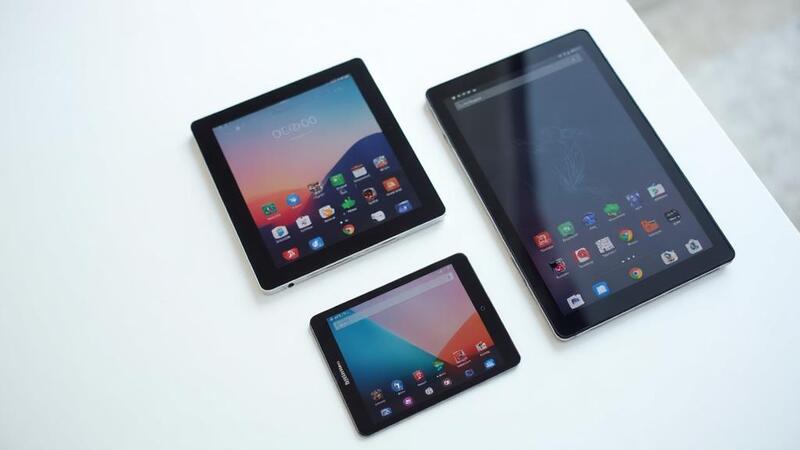
Once you are approved for Lifeline, the provider marketplace is where the "free tablet" part of the story lives. Different providers bundle different devices — typically entry-level Android tablets — and the terms differ: some offer the tablet free with activation, some charge a modest co-payment (often in the $10–$50 range), and some offer no device at all, just the discounted service.
Because these are commercial offers, they change. A provider that bundled a tablet last quarter may not do so this quarter. That is normal, and it is another reason to treat any advert promising a specific free device as suspect until you have verified the current offer directly with the provider. Ask three questions before you commit: Which exact tablet model is included? Is it new or refurbished? Is there any charge — activation, shipping, co-payment — and what is the monthly cost after any promotion ends?
You can browse current provider and device information at freetabletnow.com, which tracks what participating providers are offering.
What Will It Actually Cost You?
The Lifeline discount itself reduces your monthly service bill — the exact amount depends on the plan and whether you are on Tribal lands, where the benefit is larger. Beyond the discount, your out-of-pocket costs depend entirely on the provider and plan you choose. Here is an honest accounting of where money can change hands:
- Monthly service: the Lifeline discount applies to the plan price; you pay the remainder, if any. Some plans are fully covered by the discount, some are not.
- Device co-payment: if a tablet is bundled, there may be a one-time co-payment. Genuine co-payments are modest and disclosed up front.
- Activation or shipping: some providers charge small fees here. They should be itemised before you agree to anything.
- Upgrades: if you want a better tablet than the bundled one, you will pay the difference — that is a normal retail transaction, not part of Lifeline.
What should never happen: a demand for payment before you have been approved, a "refundable deposit" to reserve a tablet, or any fee described as required by the government. The government does not charge you to apply for Lifeline. Full stop.
Scam Safety: The Five-Minute Version
Because Lifeline involves personal documents and a desirable freebie, it attracts scammers. The short version of staying safe:
- Never pay an upfront fee to apply — the real application is free.
- Never enter your Social Security number, bank details, or card number into the first form on a website you just found. The National Verifier process does not work that way.
- The Affordable Connectivity Programme (ACP) ended on 1 June 2024. Any site still advertising ACP enrolment in 2026 is either badly out of date or dishonest — either way, do not trust it with your details.
- Nobody can guarantee your approval or guarantee you a device. "Guaranteed free tablet" is a lie by definition.
- Check that you are dealing with a real participating provider, and remember that no government agency will ever call, text, or email you out of the blue offering a tablet.
Our full scam alerts guide walks through each of these traps in detail, with examples of what the scam versions look like.
Quick rule of thumb: if an offer pressures you to act immediately, asks for money or sensitive data up front, or sounds too good to be true — a free iPad for everyone, no questions asked — it is not a Lifeline offer. It is a trap.
Frequently Asked Questions
Is the tablet really free?
Sometimes, but not always — and never from the government directly. Lifeline discounts your service. Whether a tablet is included, and at what cost, is decided by the provider you choose. Always confirm the device terms in writing before you enrol.
Can I get more than one tablet for my household?
No. The rule is one Lifeline benefit per household. Anyone offering you a second line or a second device under Lifeline for the same household is asking you to break programme rules, which can get your benefit terminated.
Does WIC qualify me for Lifeline?
No. WIC (the Special Supplemental Nutrition Program for Women, Infants, and Children) is not a qualifying programme for Lifeline, even though it is a federal assistance programme. Qualifying programmes include SNAP, Medicaid, SSI, FPHA, Veterans Pension, and Tribal programmes.
What happened to the ACP? Can I still apply for it?
The Affordable Connectivity Programme ended on 1 June 2024 when its funding ran out. You cannot apply for it any more. Lifeline is a separate, still-active programme. Treat any 2026 advert still offering ACP as a red flag.
How long does approval take?
It varies. Straightforward applications through the National Verifier can be decided quickly; cases needing manual document review take longer. Be wary of any site that promises instant approval — the real system does not work on anyone's marketing timetable.
Do I need to recertify?
Yes, every year. You must confirm you still qualify, and you must inform your provider if your circumstances change so that you no longer qualify. Failing to recertify will end your benefit.
Can I switch Lifeline providers later?
Yes. If another participating provider offers you a better plan or device bundle, you can transfer your Lifeline benefit to them. The one-benefit-per-household rule still applies — you are moving the single benefit, not adding a second one. Before switching, confirm in writing what the new provider's plan includes, what the tablet terms are, and whether your service will be interrupted during the transfer. A legitimate provider will handle the transfer process with you; be cautious of anyone who asks you to cancel your current benefit first and "reapply fresh," as that can leave you without service in between.
The Bottom Line
Lifeline is a genuine, long-running federal programme that makes staying connected affordable for millions of households — and in 2026 it remains the legitimate route to a discounted tablet bundle. The key is going in with clear eyes: it is a service discount, not a device giveaway; approval is earned through the National Verifier, not promised by an advert; and the providers' device offers are commercial bundles you should compare like any other purchase. Do that, keep the scam warning signs in mind, and you will get the real benefit without the nasty surprises.
If you are ready to check whether you qualify, start with our eligibility guide — and if anything you have read elsewhere sounds too good to be true, run it past the scam alerts page first.